因为未知的原因,国内的各大 DockerHub 镜像服务器无法使用,导致在使用群晖时无法拉取镜像构建容器。
网上大部分的镜像加速服务都是通过 Cloudflare(CF) 搭建的,为什么都选它呢?因为 Cloudflare 提供了很多的免费服务,包括CDN加速、DNS解析、DDoS防护、访问规则、Workers等等。
老宁最开始也是通过CF为大家提供了免费镜像加速服务,不过为了账户安全,老宁在不久后便停止了服务(流量太大)。
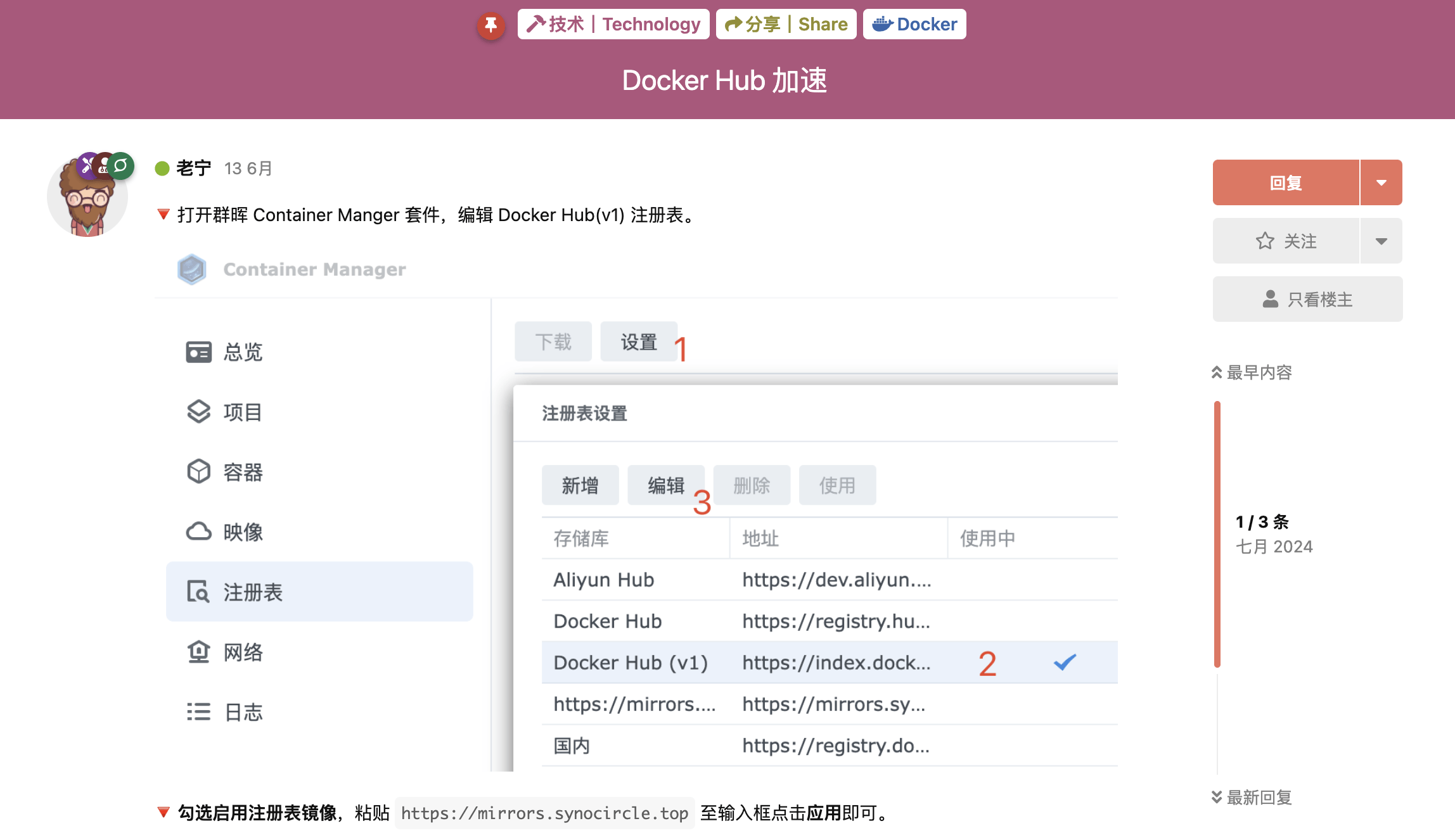
这段时间很多粉丝问拉取镜像的问题,所以老宁今天就把 Workers 搭建的详细过程分享出来。通过在群晖上配置加速服务地址,就可以通过 Container Manager 或命令行方便地构建自己喜欢的容器了。
如果想拥有一个稳定的 Docker 加速服务,老宁强烈建议自己搭建!
Workers
Cloudflare Workers 是一种运行在 Cloudflare 全球网络边缘的轻量级、高性能的计算服务。开发者可以使用它来运行 JavaScript 代码,处理 HTTP 请求、修改响应或执行其他脚本任务,而无需管理服务器。
🔻 Cloudflare 的 Workers 每天为免费用户提供10万次请求。
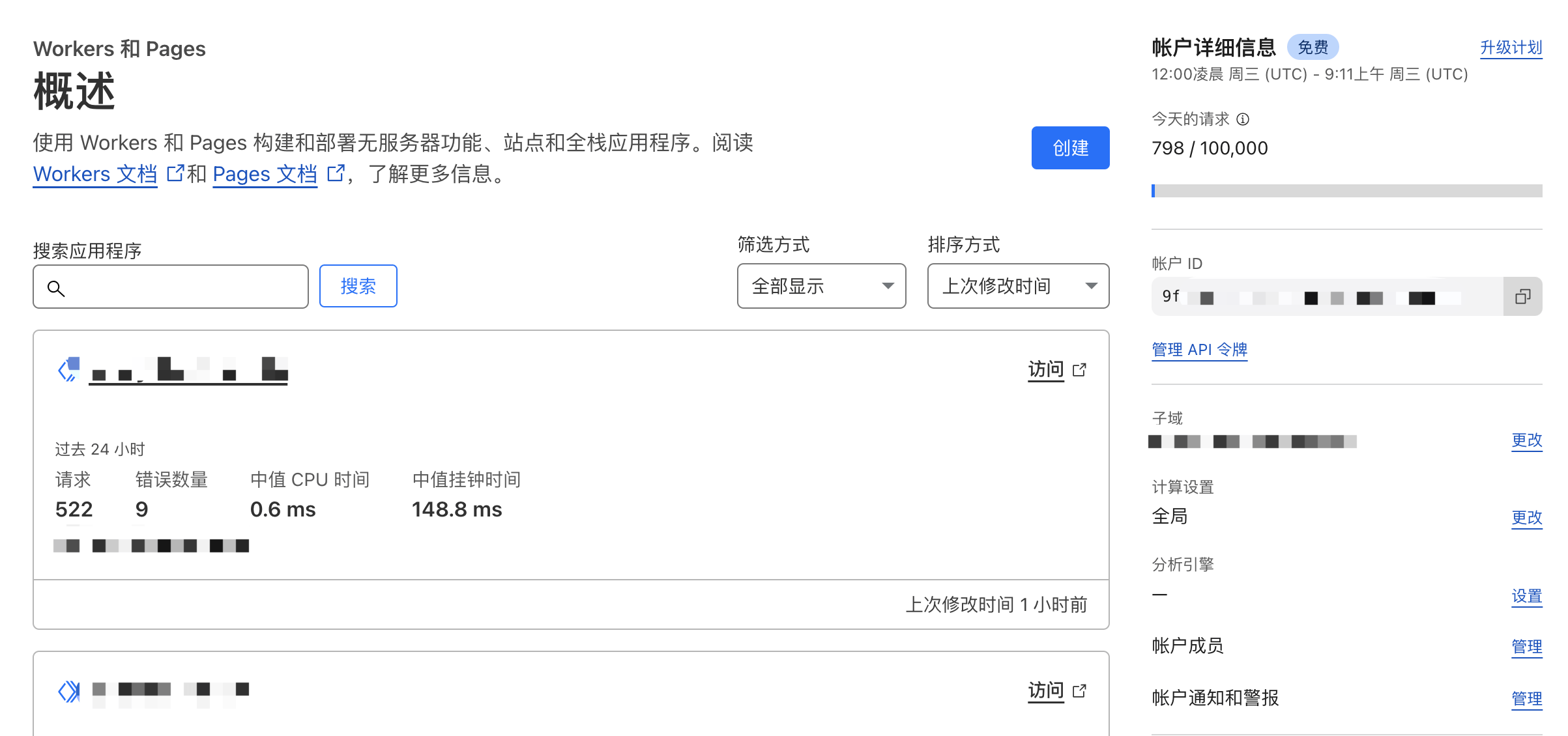
前提
- Cloudflare 账号
- 域名(Worker 自带的域名无法访问,所以需要单独的域名)
- 域名托管到了 Cloudflare
部署
🔻 打开 Cloudflare 仪表盘 https://dash.cloudflare.com/,在 Workers 和 Pages 选项卡中点击创建 Worker按钮。
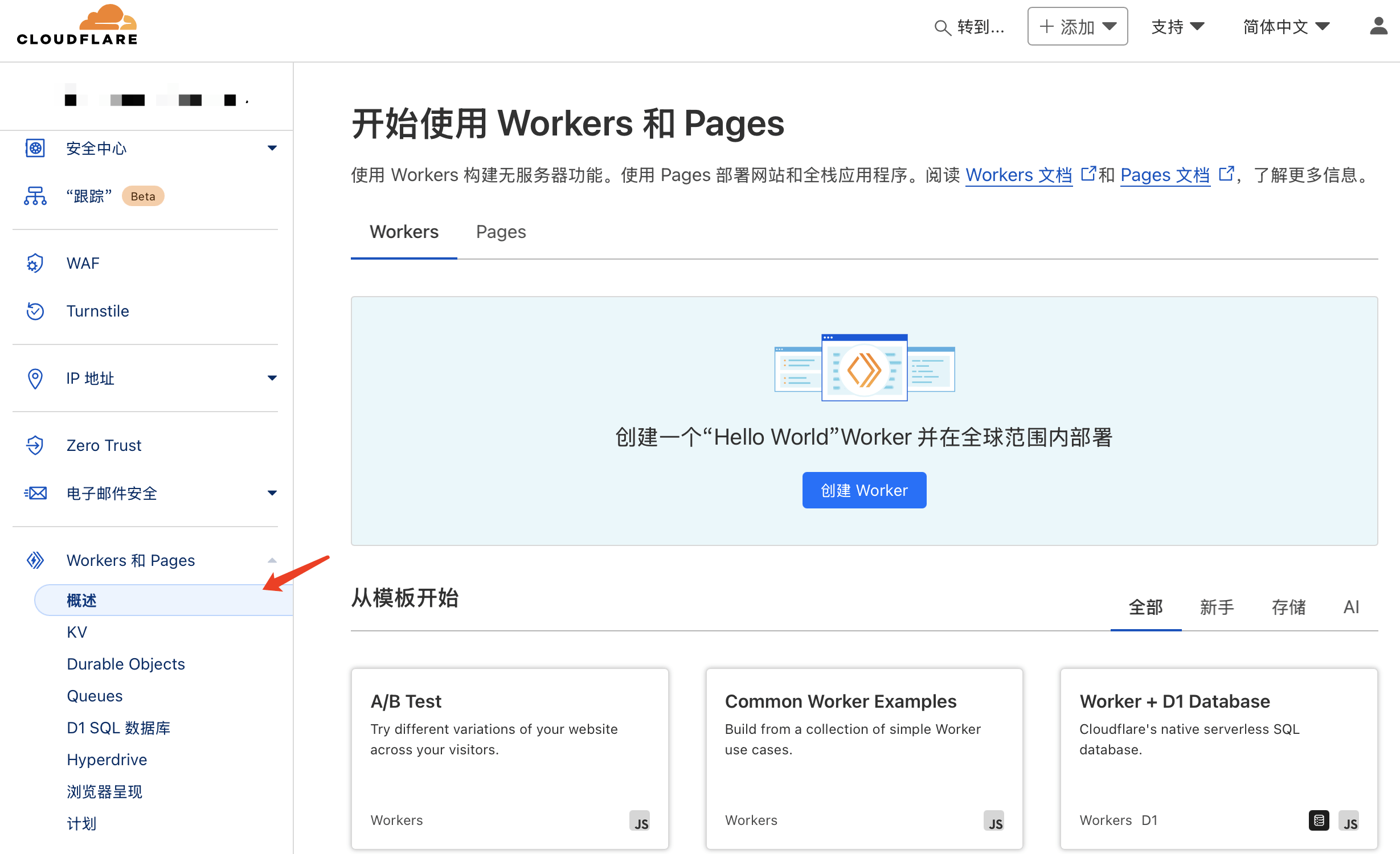
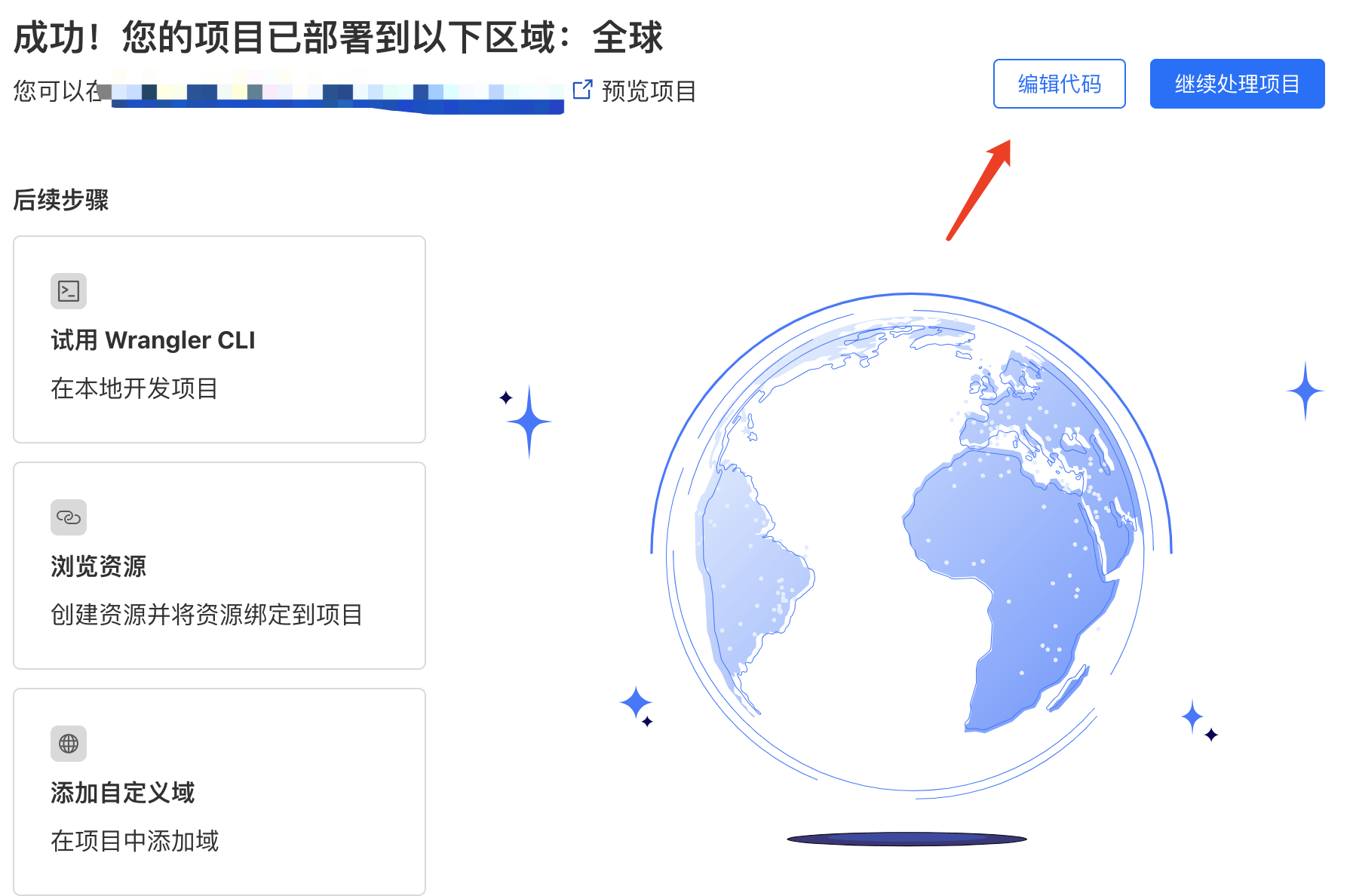
🔻 首先需要部署默认的worker才能对其进行修改。
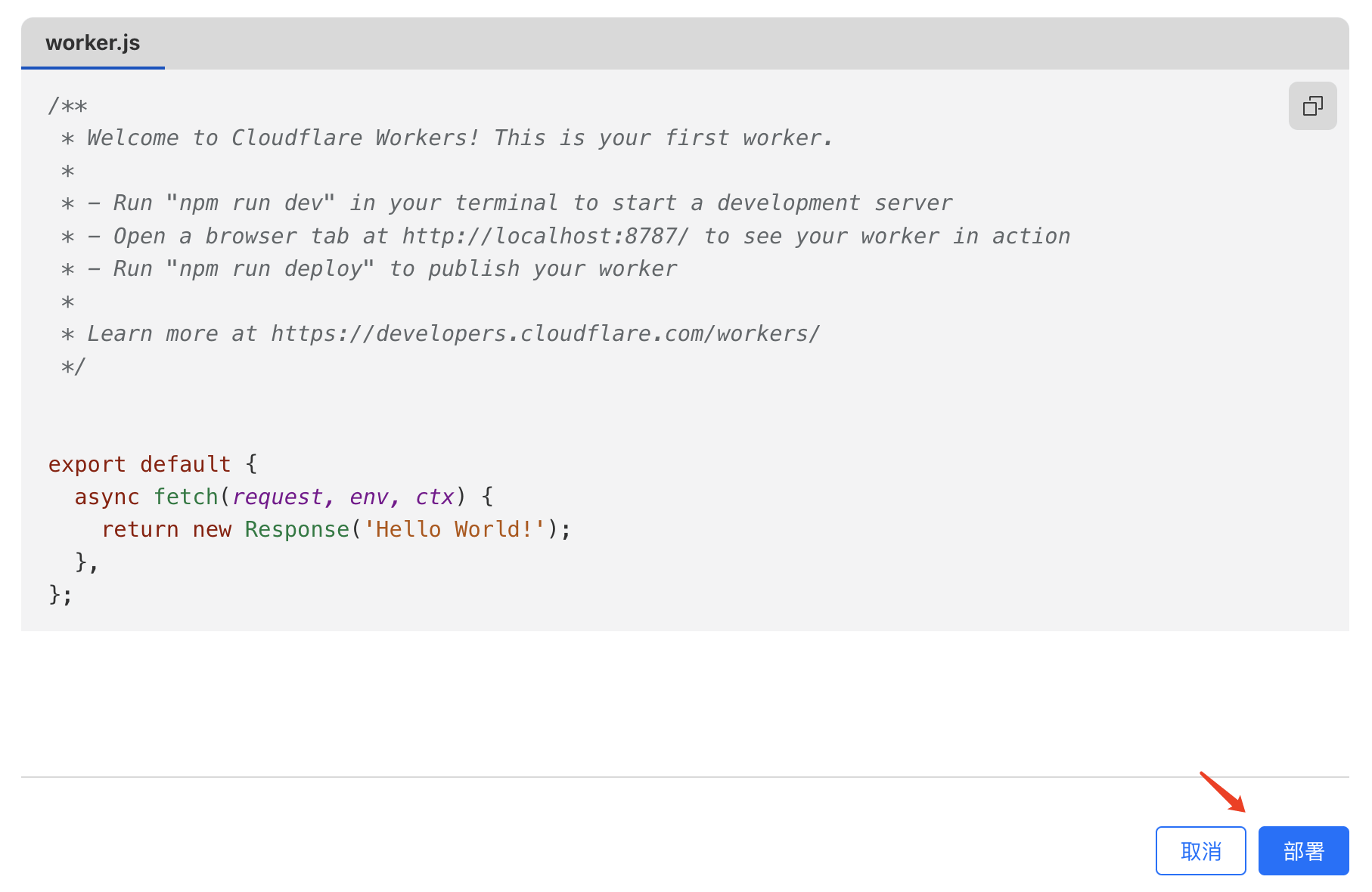
🔻 再点击编辑代码,对worker代码进行修改。
🔻 接下来在worker中配置加速代码。打开 Github 项目 https://github.com/cmliu/CF-Workers-docker.io,把_worker.js文件中的代码复制粘贴到 Cloudflare 的编辑器中。(需覆盖原来的代码)
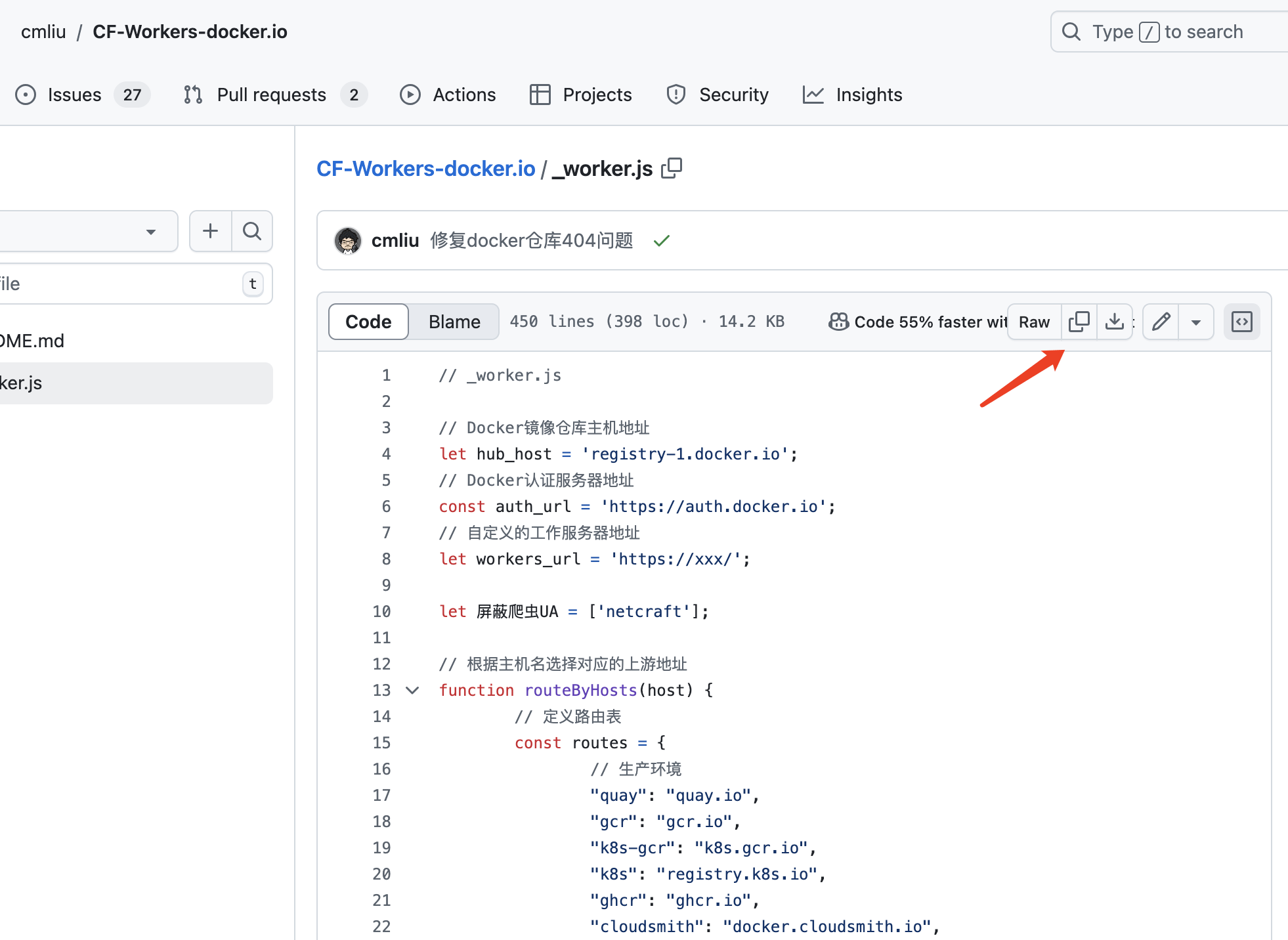
// _worker.js

// Docker镜像仓库主机地址
let hub_host = 'registry-1.docker.io';
// Docker认证服务器地址
const auth_url = 'https://auth.docker.io';
// 自定义的工作服务器地址
let workers_url = 'https://xxx/';

let 屏蔽爬虫UA = ['netcraft'];

// 根据主机名选择对应的上游地址
function routeByHosts(host) {
    // 定义路由表
    const routes = {
        // 生产环境
        "quay": "quay.io",
        "gcr": "gcr.io",
        "k8s-gcr": "k8s.gcr.io",
        "k8s": "registry.k8s.io",
        "ghcr": "ghcr.io",
        "cloudsmith": "docker.cloudsmith.io",
        "nvcr": "nvcr.io",

        // 测试环境
        "test": "registry-1.docker.io",
    };

    if (host in routes) return [ routes[host], false ];
    else return [ hub_host, true ];
}

/** @type {RequestInit} */
const PREFLIGHT_INIT = {
    // 预检请求配置
    headers: new Headers({
        'access-control-allow-origin': '*', // 允许所有来源
        'access-control-allow-methods': 'GET,POST,PUT,PATCH,TRACE,DELETE,HEAD,OPTIONS', // 允许的HTTP方法
        'access-control-max-age': '1728000', // 预检请求的缓存时间
    }),
}

/**
 * 构造响应
 * @param {any} body 响应体
 * @param {number} status 响应状态码
 * @param {Object<string, string>} headers 响应头
 */
function makeRes(body, status = 200, headers = {}) {
    headers['access-control-allow-origin'] = '*' // 允许所有来源
    return new Response(body, { status, headers }) // 返回新构造的响应
}

/**
 * 构造新的URL对象
 * @param {string} urlStr URL字符串
 */
function newUrl(urlStr) {
    try {
        return new URL(urlStr) // 尝试构造新的URL对象
    } catch (err) {
        return null // 构造失败返回null
    }
}

function isUUID(uuid) {
    // 定义一个正则表达式来匹配 UUID 格式
    const uuidRegex = /^[0-9a-f]{8}-[0-9a-f]{4}-[4][0-9a-f]{3}-[89ab][0-9a-f]{3}-[0-9a-f]{12}$/i;

    // 使用正则表达式测试 UUID 字符串
    return uuidRegex.test(uuid);
}

async function nginx() {
    const text = `
    <!DOCTYPE html>
    <html>
    <head>
    <title>Welcome to nginx!</title>
    <style>
        body {
            width: 35em;
            margin: 0 auto;
            font-family: Tahoma, Verdana, Arial, sans-serif;
        }
    </style>
    </head>
    <body>
    <h1>Welcome to nginx!</h1>
    <p>If you see this page, the nginx web server is successfully installed and
    working. Further configuration is required.</p>

    <p>For online documentation and support please refer to
    <a href="http://nginx.org/">nginx.org</a>.<br/>
    Commercial support is available at
    <a href="http://nginx.com/">nginx.com</a>.</p>

    <p><em>Thank you for using nginx.</em></p>
    </body>
    </html>
    `
    return text;
}

async function searchInterface() {
    const text = `
    <!DOCTYPE html>
    <html>
    <head>
        <title>Docker Hub Search</title>
        <style>
        body {
            font-family: Arial, sans-serif;
            display: flex;
            flex-direction: column;
            align-items: center;
            justify-content: center;
            height: 100vh;
            margin: 0;
            background: linear-gradient(to right, rgb(28, 143, 237), rgb(29, 99, 237));
        }
        .logo {
            margin-bottom: 20px;
        }
        .search-container {
            display: flex;
            align-items: center;
        }
        #search-input {
            padding: 10px;
            font-size: 16px;
            border: 1px solid #ddd;
            border-radius: 4px;
            width: 300px;
            margin-right: 10px;
        }
        #search-button {
            padding: 10px;
            background-color: rgba(255, 255, 255, 0.2); /* 设置白色,透明度为10% */
            border: none;
            border-radius: 4px;
            cursor: pointer;
            width: 44px;
            height: 44px;
            display: flex;
            align-items: center;
            justify-content: center;
        }
        #search-button svg {
            width: 24px;
            height: 24px;
        }
        </style>
    </head>
    <body>
        <div class="logo">
        <svg xmlns="http://www.w3.org/2000/svg" viewBox="0 0 24 18" fill="#ffffff" width="100" height="75">
            <path d="M23.763 6.886c-.065-.053-.673-.512-1.954-.512-.32 0-.659.03-1.01.087-.248-1.703-1.651-2.533-1.716-2.57l-.345-.2-.227.328a4.596 4.596 0 0 0-.611 1.433c-.23.972-.09 1.884.403 2.666-.596.331-1.546.418-1.744.42H.752a.753.753 0 0 0-.75.749c-.007 1.456.233 2.864.692 4.07.545 1.43 1.355 2.483 2.409 3.13 1.181.725 3.104 1.14 5.276 1.14 1.016 0 2.03-.092 2.93-.266 1.417-.273 2.705-.742 3.826-1.391a10.497 10.497 0 0 0 2.61-2.14c1.252-1.42 1.998-3.005 2.553-4.408.075.003.148.005.221.005 1.371 0 2.215-.55 2.68-1.01.505-.5.685-.998.704-1.053L24 7.076l-.237-.19Z"></path>
            <path d="M2.216 8.075h2.119a.186.186 0 0 0 .185-.186V6a.186.186 0 0 0-.185-.186H2.216A.186.186 0 0 0 2.031 6v1.89c0 .103.083.186.185.186Zm2.92 0h2.118a.185.185 0 0 0 .185-.186V6a.185.185 0 0 0-.185-.186H5.136A.185.185 0 0 0 4.95 6v1.89c0 .103.083.186.186.186Zm2.964 0h2.118a.186.186 0 0 0 .185-.186V6a.186.186 0 0 0-.185-.186H8.1A.185.185 0 0 0 7.914 6v1.89c0 .103.083.186.186.186Zm2.928 0h2.119a.185.185 0 0 0 .185-.186V6a.185.185 0 0 0-.185-.186h-2.119a.186.186 0 0 0-.185.186v1.89c0 .103.083.186.185.186Zm-5.892-2.72h2.118a.185.185 0 0 0 .185-.186V3.28a.186.186 0 0 0-.185-.186H5.136a.186.186 0 0 0-.186.186v1.89c0 .103.083.186.186.186Zm2.964 0h2.118a.186.186 0 0 0 .185-.186V3.28a.186.186 0 0 0-.185-.186H8.1a.186.186 0 0 0-.186.186v1.89c0 .103.083.186.186.186Zm2.928 0h2.119a.185.185 0 0 0 .185-.186V3.28a.186.186 0 0 0-.185-.186h-2.119a.186.186 0 0 0-.185.186v1.89c0 .103.083.186.185.186Zm0-2.72h2.119a.186.186 0 0 0 .185-.186V.56a.185.185 0 0 0-.185-.186h-2.119a.186.186 0 0 0-.185.186v1.89c0 .103.083.186.185.186Zm2.955 5.44h2.118a.185.185 0 0 0 .186-.186V6a.185.185 0 0 0-.186-.186h-2.118a.185.185 0 0 0-.185.186v1.89c0 .103.083.186.185.186Z"></path>
        </svg>
        </div>
        <div class="search-container">
        <input type="text" id="search-input" placeholder="Search Docker Hub">
        <button id="search-button">
            <svg focusable="false" aria-hidden="true" viewBox="0 0 24 24" fill="none" xmlns="http://www.w3.org/2000/svg">
            <path d="M21 21L16.65 16.65M19 11C19 15.4183 15.4183 19 11 19C6.58172 19 3 15.4183 3 11C3 6.58172 6.58172 3 11 3C15.4183 3 19 6.58172 19 11Z" stroke="white" fill="none" stroke-width="2" stroke-linecap="round" stroke-linejoin="round"></path>
            </svg>
        </button>
        </div>
        <script>
        function performSearch() {
            const query = document.getElementById('search-input').value;
            if (query) {
            window.location.href = '/search?q=' + encodeURIComponent(query);
            }
        }

        document.getElementById('search-button').addEventListener('click', performSearch);
        document.getElementById('search-input').addEventListener('keypress', function(event) {
            if (event.key === 'Enter') {
            performSearch();
            }
        });
        </script>
    </body>
    </html>
    `;
    return text;
}

export default {
    async fetch(request, env, ctx) {
        const getReqHeader = (key) => request.headers.get(key); // 获取请求头

        let url = new URL(request.url); // 解析请求URL
        const userAgentHeader = request.headers.get('User-Agent');
        const userAgent = userAgentHeader ? userAgentHeader.toLowerCase() : "null";
        if (env.UA) 屏蔽爬虫UA = 屏蔽爬虫UA.concat(await ADD(env.UA));
        workers_url = `https://${url.hostname}`;
        const pathname = url.pathname;

        // 获取请求参数中的 ns
        const ns = url.searchParams.get('ns');
        const hostname = url.searchParams.get('hubhost') || url.hostname;
        const hostTop = hostname.split('.')[0]; // 获取主机名的第一部分

        let checkHost; // 在这里定义 checkHost 变量
        // 如果存在 ns 参数,优先使用它来确定 hub_host
        if (ns) {
            if (ns === 'docker.io') {
                hub_host = 'registry-1.docker.io'; // 设置上游地址为 registry-1.docker.io
            } else {
                hub_host = ns; // 直接使用 ns 作为 hub_host
            }
        } else {
            checkHost = routeByHosts(hostTop);
            hub_host = checkHost[0]; // 获取上游地址
        }

        const fakePage = checkHost ? checkHost[1] : false; // 确保 fakePage 不为 undefined
        console.log(`域名头部: ${hostTop}\n反代地址: ${hub_host}\n伪装首页: ${fakePage}`);
        const isUuid = isUUID(pathname.split('/')[1].split('/')[0]);

        if (屏蔽爬虫UA.some(fxxk => userAgent.includes(fxxk)) && 屏蔽爬虫UA.length > 0) {
            // 首页改成一个nginx伪装页
            return new Response(await nginx(), {
                headers: {
                    'Content-Type': 'text/html; charset=UTF-8',
                },
            });
        }

        const conditions = [
            isUuid,
            pathname.includes('/_'),
            pathname.includes('/r/'),
            pathname.includes('/v2/repositories'),
            pathname.includes('/v2/user'),
            pathname.includes('/v2/orgs'),
            pathname.includes('/v2/_catalog'),
            pathname.includes('/v2/categories'),
            pathname.includes('/v2/feature-flags'),
            pathname.includes('search'),
            pathname.includes('source'),
            pathname == '/',
            pathname == '/favicon.ico',
            pathname == '/auth/profile',
        ];

        if (conditions.some(condition => condition) && (fakePage === true || hostTop == 'docker')) {
            if (env.URL302) {
                return Response.redirect(env.URL302, 302);
            } else if (env.URL) {
                if (env.URL.toLowerCase() == 'nginx') {
                    //首页改成一个nginx伪装页
                    return new Response(await nginx(), {
                        headers: {
                            'Content-Type': 'text/html; charset=UTF-8',
                        },
                    });
                } else return fetch(new Request(env.URL, request));
            } else if (url.pathname == '/'){
                return new Response(await searchInterface(), {
                    headers: {
                      'Content-Type': 'text/html; charset=UTF-8',
                    },
                });
            }

            const newUrl = new URL("https://registry.hub.docker.com" + pathname + url.search);

            // 复制原始请求的标头
            const headers = new Headers(request.headers);

            // 确保 Host 头部被替换为 hub.docker.com
            headers.set('Host', 'registry.hub.docker.com');

            const newRequest = new Request(newUrl, {
                    method: request.method,
                    headers: headers,
                    body: request.method !== 'GET' && request.method !== 'HEAD' ? await request.blob() : null,
                    redirect: 'follow'
            });

            return fetch(newRequest);
        }

        // 修改包含 %2F 和 %3A 的请求
        if (!/%2F/.test(url.search) && /%3A/.test(url.toString())) {
            let modifiedUrl = url.toString().replace(/%3A(?=.*?&)/, '%3Alibrary%2F');
            url = new URL(modifiedUrl);
            console.log(`handle_url: ${url}`);
        }

        // 处理token请求
        if (url.pathname.includes('/token')) {
            let token_parameter = {
                headers: {
                    'Host': 'auth.docker.io',
                    'User-Agent': getReqHeader("User-Agent"),
                    'Accept': getReqHeader("Accept"),
                    'Accept-Language': getReqHeader("Accept-Language"),
                    'Accept-Encoding': getReqHeader("Accept-Encoding"),
                    'Connection': 'keep-alive',
                    'Cache-Control': 'max-age=0'
                }
            };
            let token_url = auth_url + url.pathname + url.search;
            return fetch(new Request(token_url, request), token_parameter);
        }

        // 修改 /v2/ 请求路径
        if ( hub_host == 'registry-1.docker.io' && /^\/v2\/[^/]+\/[^/]+\/[^/]+$/.test(url.pathname) && !/^\/v2\/library/.test(url.pathname)) {
            //url.pathname = url.pathname.replace(/\/v2\//, '/v2/library/');
            url.pathname = '/v2/library/' + url.pathname.split('/v2/')[1];
            console.log(`modified_url: ${url.pathname}`);
        }

        // 更改请求的主机名
        url.hostname = hub_host;

        // 构造请求参数
        let parameter = {
            headers: {
                'Host': hub_host,
                'User-Agent': getReqHeader("User-Agent"),
                'Accept': getReqHeader("Accept"),
                'Accept-Language': getReqHeader("Accept-Language"),
                'Accept-Encoding': getReqHeader("Accept-Encoding"),
                'Connection': 'keep-alive',
                'Cache-Control': 'max-age=0'
            },
            cacheTtl: 3600 // 缓存时间
        };

        // 添加Authorization头
        if (request.headers.has("Authorization")) {
            parameter.headers.Authorization = getReqHeader("Authorization");
        }

        // 发起请求并处理响应
        let original_response = await fetch(new Request(url, request), parameter);
        let original_response_clone = original_response.clone();
        let original_text = original_response_clone.body;
        let response_headers = original_response.headers;
        let new_response_headers = new Headers(response_headers);
        let status = original_response.status;

        // 修改 Www-Authenticate 头
        if (new_response_headers.get("Www-Authenticate")) {
            let auth = new_response_headers.get("Www-Authenticate");
            let re = new RegExp(auth_url, 'g');
            new_response_headers.set("Www-Authenticate", response_headers.get("Www-Authenticate").replace(re, workers_url));
        }

        // 处理重定向
        if (new_response_headers.get("Location")) {
            return httpHandler(request, new_response_headers.get("Location"));
        }

        // 返回修改后的响应
        let response = new Response(original_text, {
            status,
            headers: new_response_headers
        });
        return response;
    }
};

/**
 * 处理HTTP请求
 * @param {Request} req 请求对象
 * @param {string} pathname 请求路径
 */
function httpHandler(req, pathname) {
    const reqHdrRaw = req.headers;

    // 处理预检请求
    if (req.method === 'OPTIONS' &&
        reqHdrRaw.has('access-control-request-headers')
    ) {
        return new Response(null, PREFLIGHT_INIT);
    }

    let rawLen = '';

    const reqHdrNew = new Headers(reqHdrRaw);

    const refer = reqHdrNew.get('referer');

    let urlStr = pathname;

    const urlObj = newUrl(urlStr);

    /** @type {RequestInit} */
    const reqInit = {
        method: req.method,
        headers: reqHdrNew,
        redirect: 'follow',
        body: req.body
    };
    return proxy(urlObj, reqInit, rawLen);
}

/**
 * 代理请求
 * @param {URL} urlObj URL对象
 * @param {RequestInit} reqInit 请求初始化对象
 * @param {string} rawLen 原始长度
 */
async function proxy(urlObj, reqInit, rawLen) {
    const res = await fetch(urlObj.href, reqInit);
    const resHdrOld = res.headers;
    const resHdrNew = new Headers(resHdrOld);

    // 验证长度
    if (rawLen) {
        const newLen = resHdrOld.get('content-length') || '';
        const badLen = (rawLen !== newLen);

        if (badLen) {
            return makeRes(res.body, 400, {
                '--error': `bad len: ${newLen}, except: ${rawLen}`,
                'access-control-expose-headers': '--error',
            });
        }
    }
    const status = res.status;
    resHdrNew.set('access-control-expose-headers', '*');
    resHdrNew.set('access-control-allow-origin', '*');
    resHdrNew.set('Cache-Control', 'max-age=1500');

    // 删除不必要的头
    resHdrNew.delete('content-security-policy');
    resHdrNew.delete('content-security-policy-report-only');
    resHdrNew.delete('clear-site-data');

    return new Response(res.body, {
        status,
        headers: resHdrNew
    });
}

async function ADD(envadd) {
    var addtext = envadd.replace(/[     |"'\r\n]+/g, ',').replace(/,+/g, ',');    // 将空格、双引号、单引号和换行符替换为逗号
    if (addtext.charAt(0) == ',') addtext = addtext.slice(1);
    if (addtext.charAt(addtext.length - 1) == ',') addtext = addtext.slice(0, addtext.length - 1);
    const add = addtext.split(',');
    return add;
}
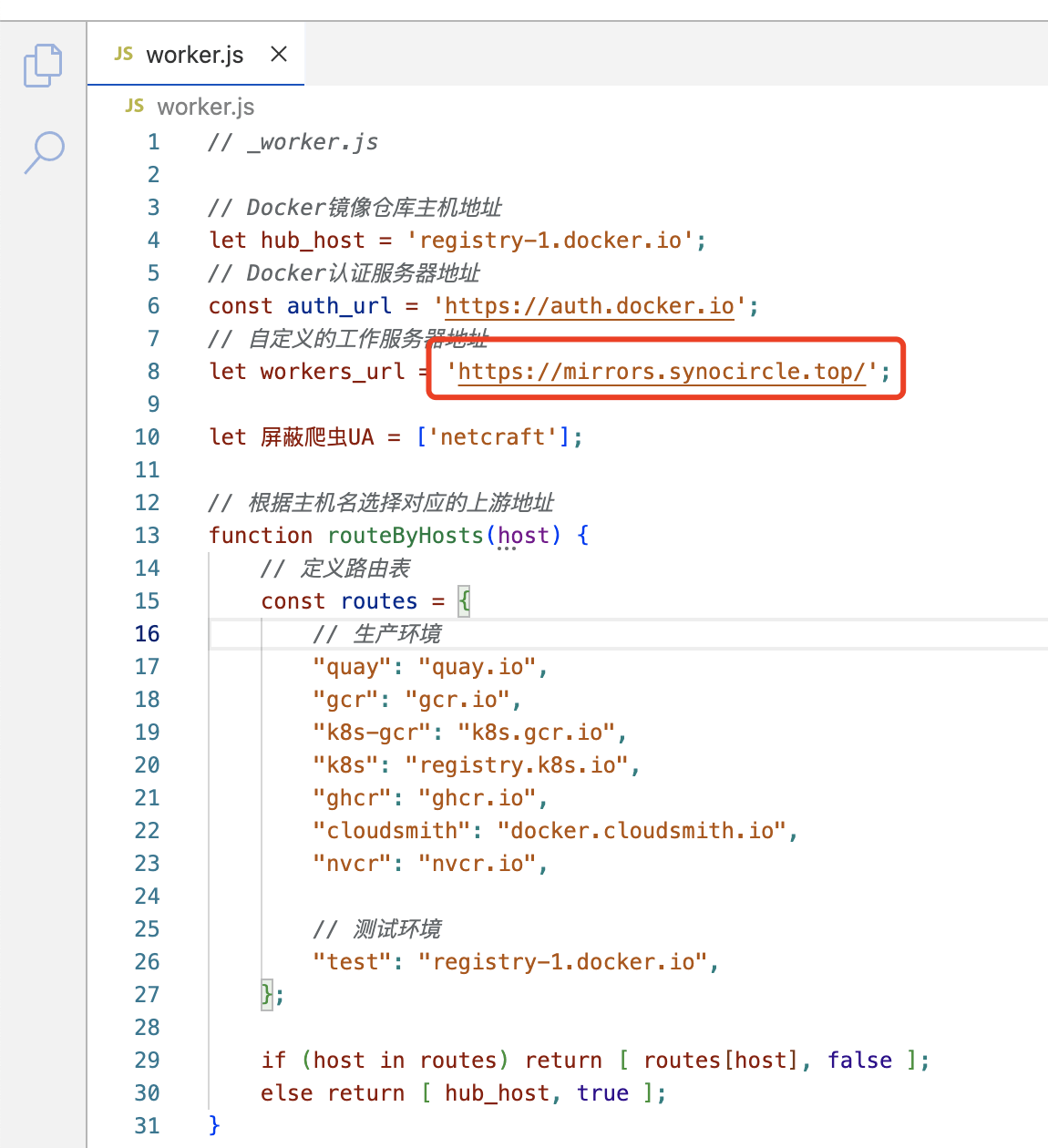
🔻 粘贴完毕后,把第8行url地址修改为自己的域名地址(域名为绑定到CF的域名,前缀任意)。
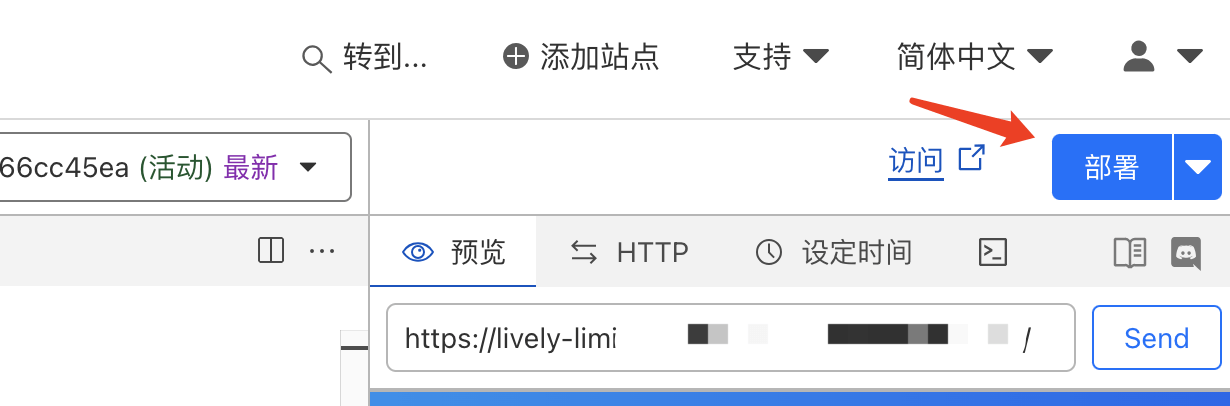
🔻 修改完毕后需要点击右上角的部署按钮进行部署。
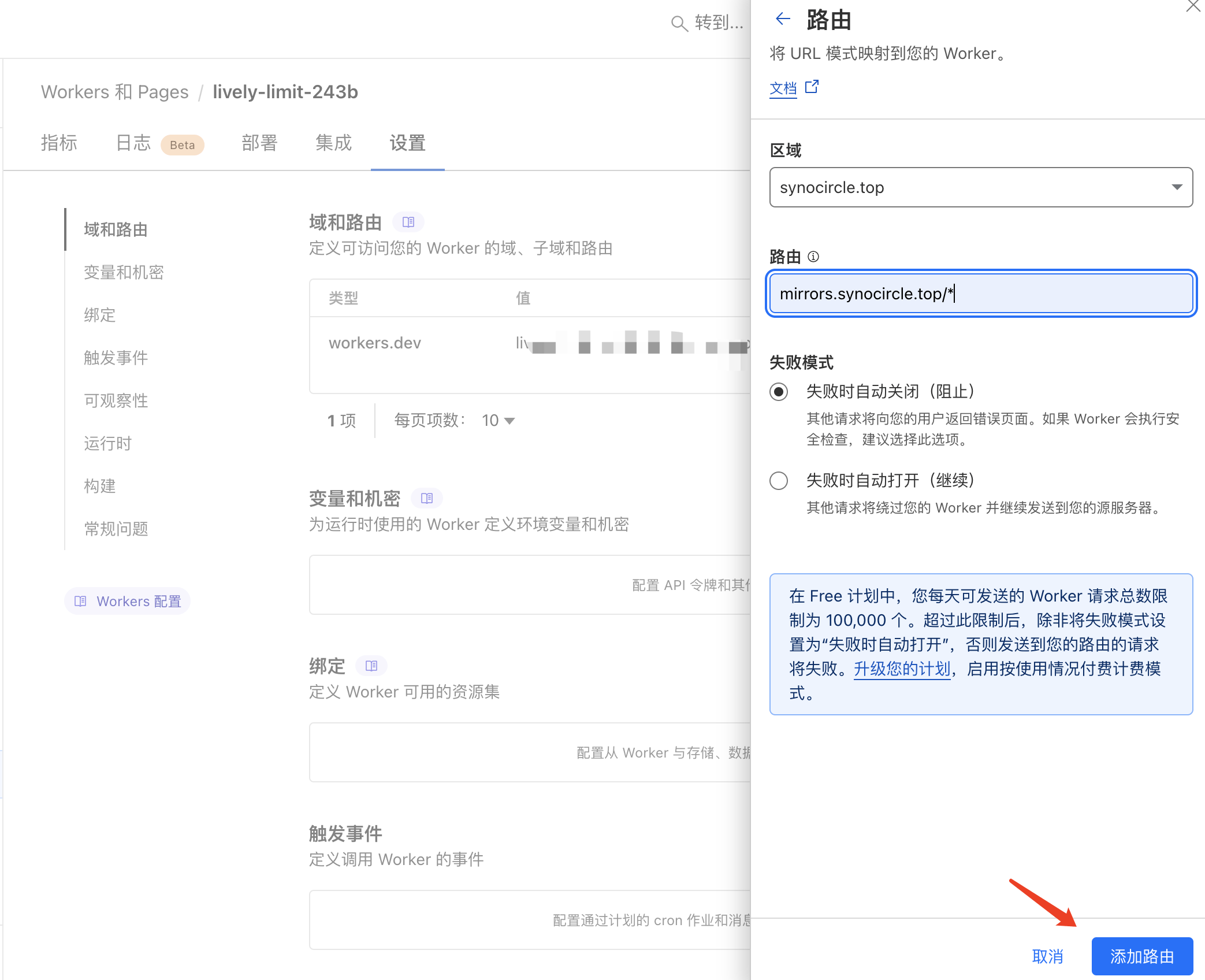
🔻 部署成功后打开设置->域和路由->添加,新增一个路由。区域选择域名,路由输入前面在worker中配置的域名,域名后需加上/*。(可以先在这里配置好了再去修改脚本的域名)
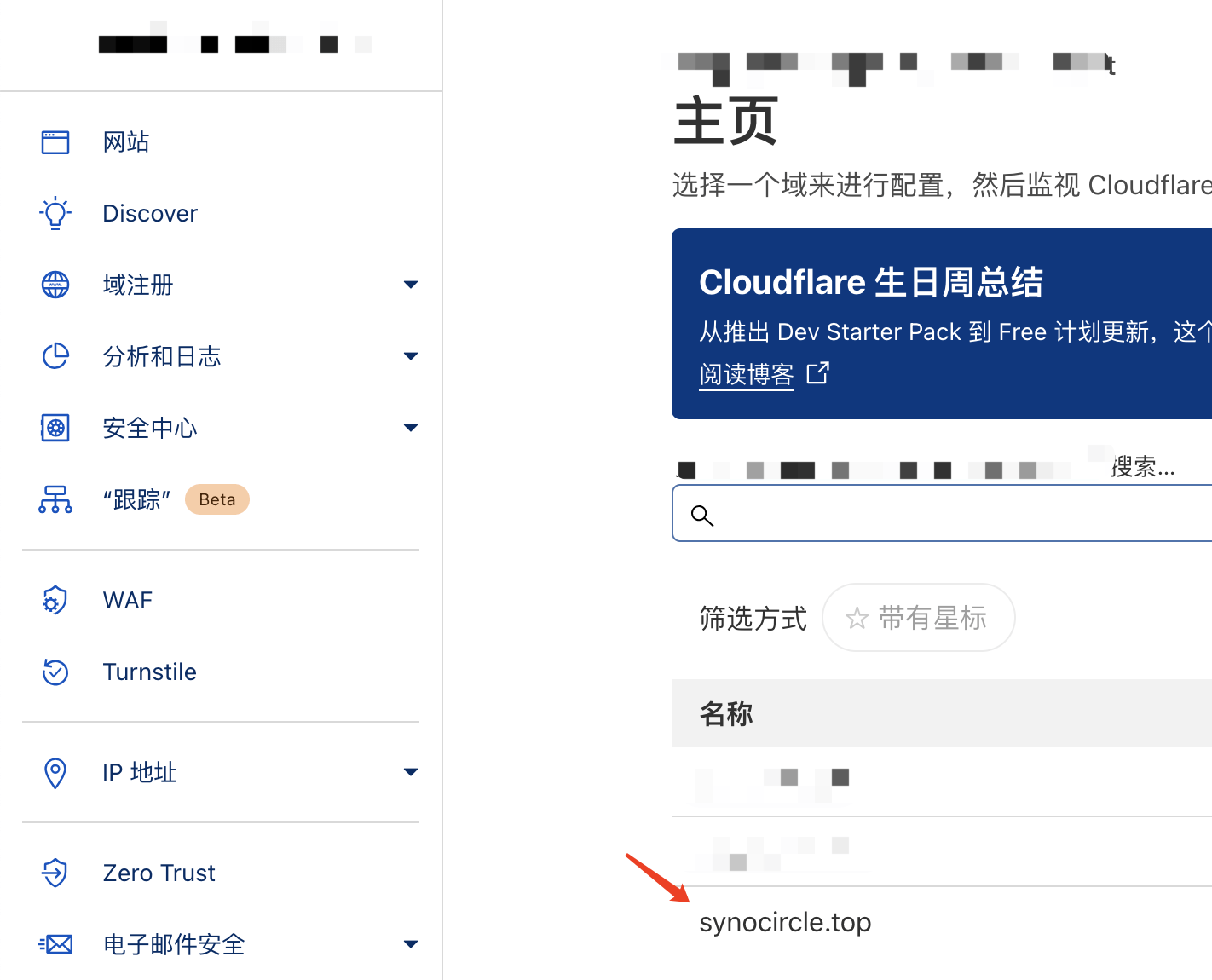
🔻 回到 Cloudflare 主页,点击网站进入域名相关设置。
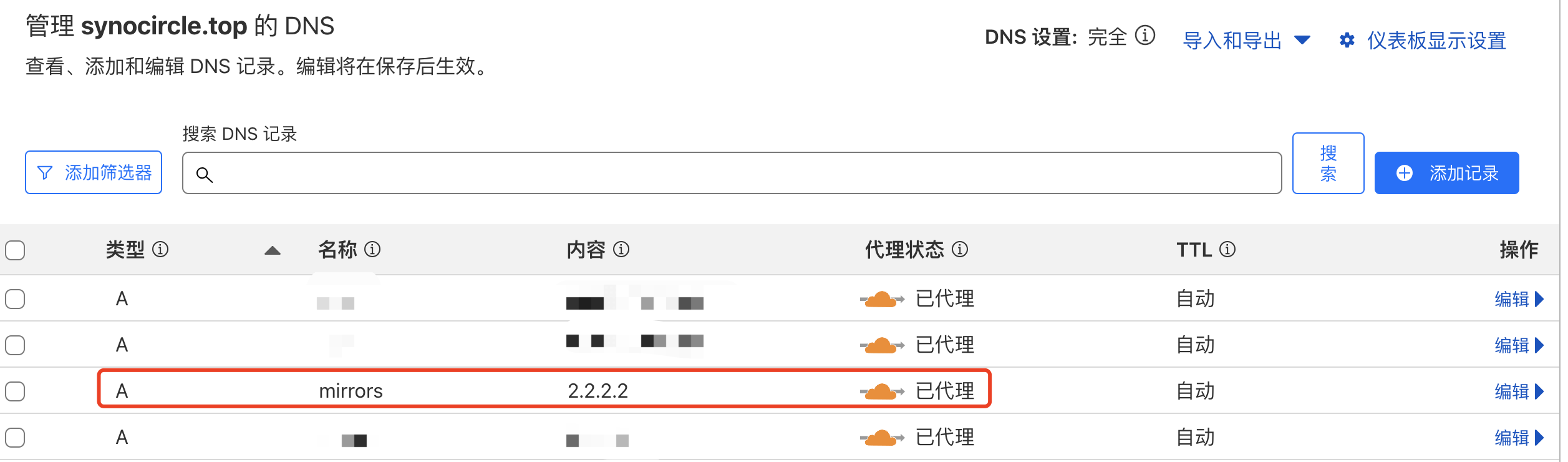
🔻 在DNS中新增一条A记录,名称为前面设置的域名前缀,值可以设置为任意IP(2.2.2.2)。注意这里小云朵(代理)一定要打开。
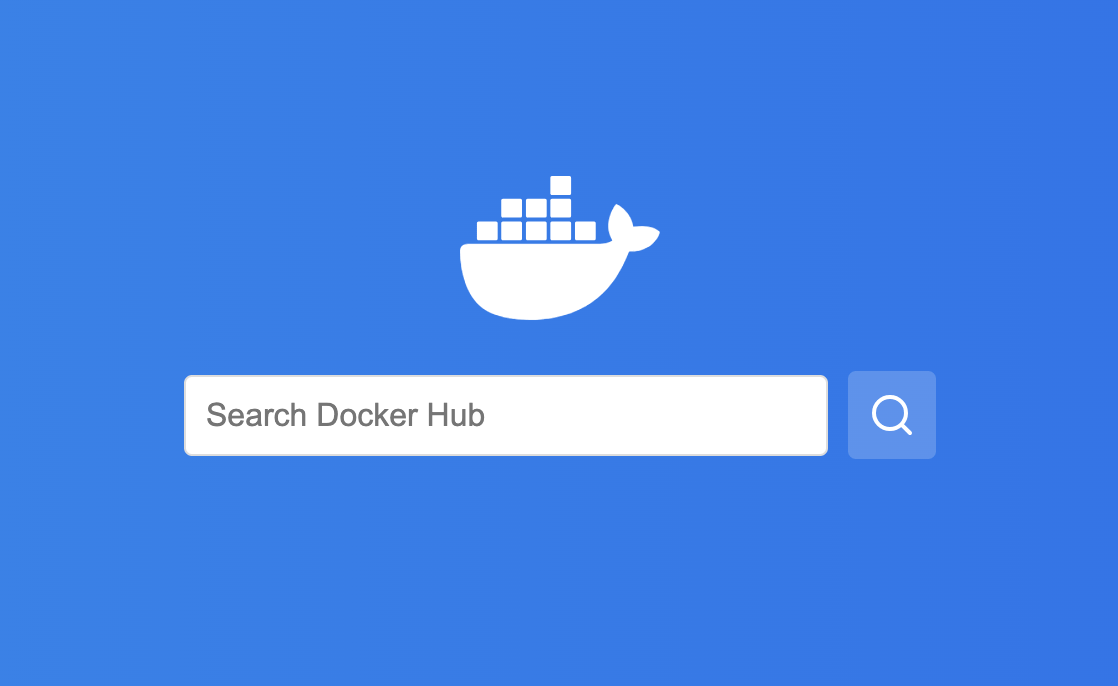
🔻 稍等片刻,在浏览器中输入域名,出现以下界面就代表加速服务配置成功。
群晖配置
加速服务搭建完毕后再来看看如何在群晖上使用。
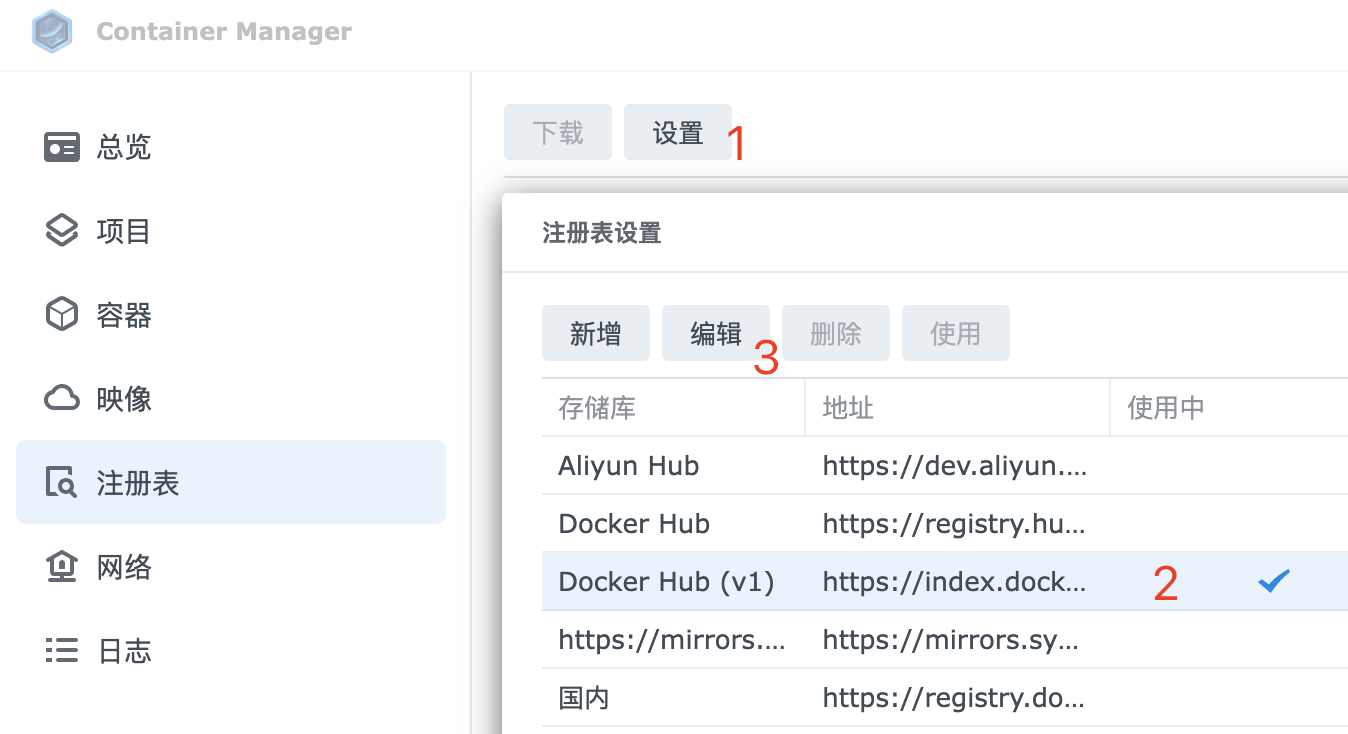
🔻 打开群晖 Container Manger 套件,编辑 Docker Hub(v1) 注册表。
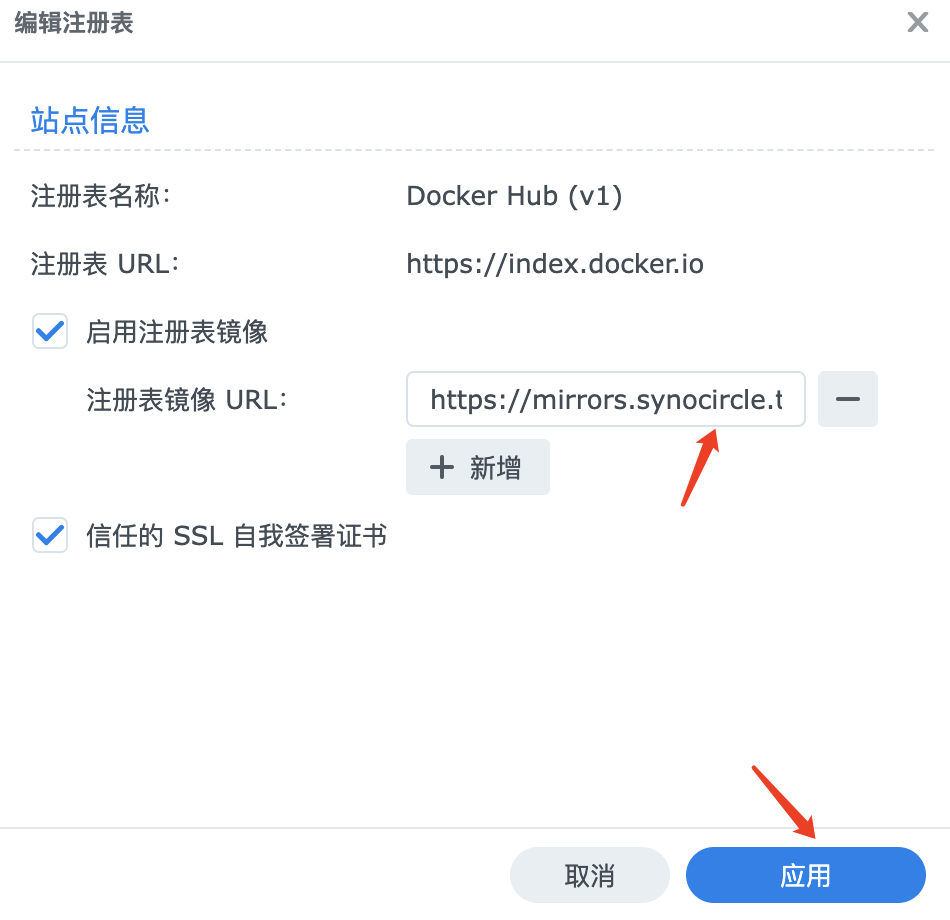
🔻 勾选启用注册表镜像,粘贴CF设置的域名至输入框,再点击应用。
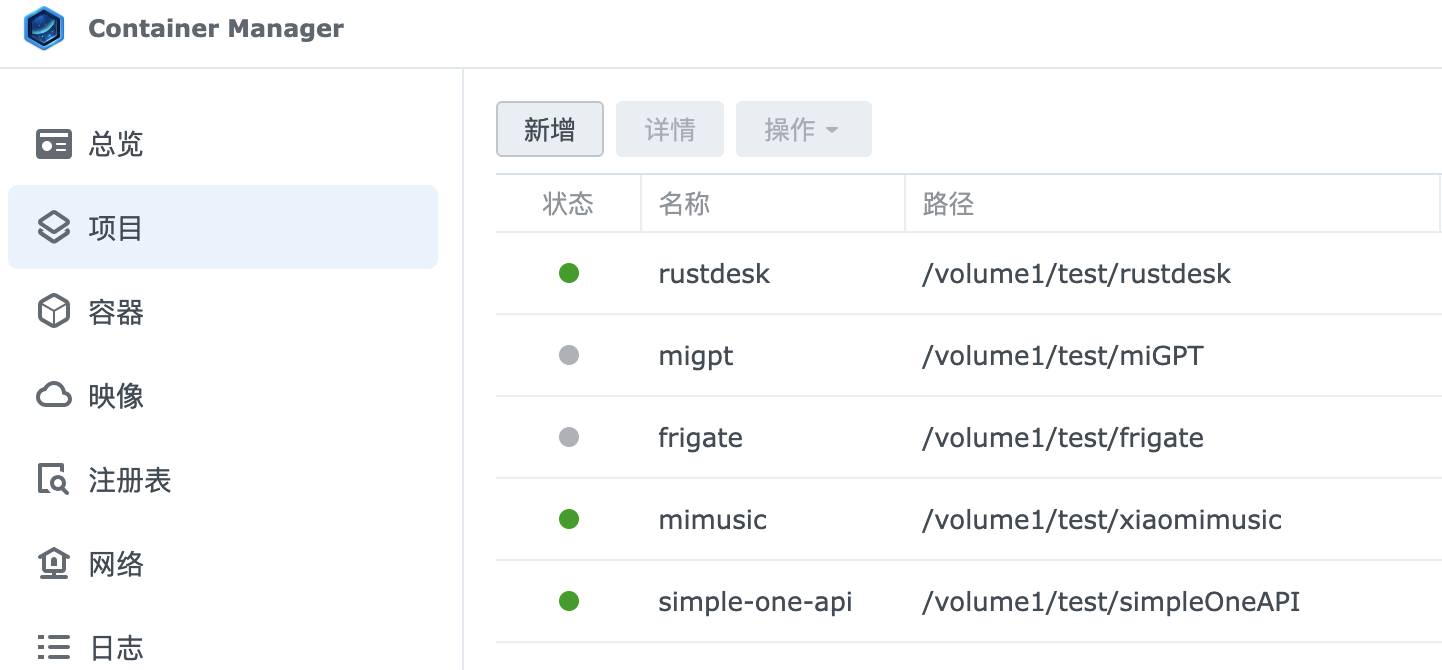
🔻 现在可以直接在 Container Manager 的项目中通过compose 拉取镜像并构建容器。
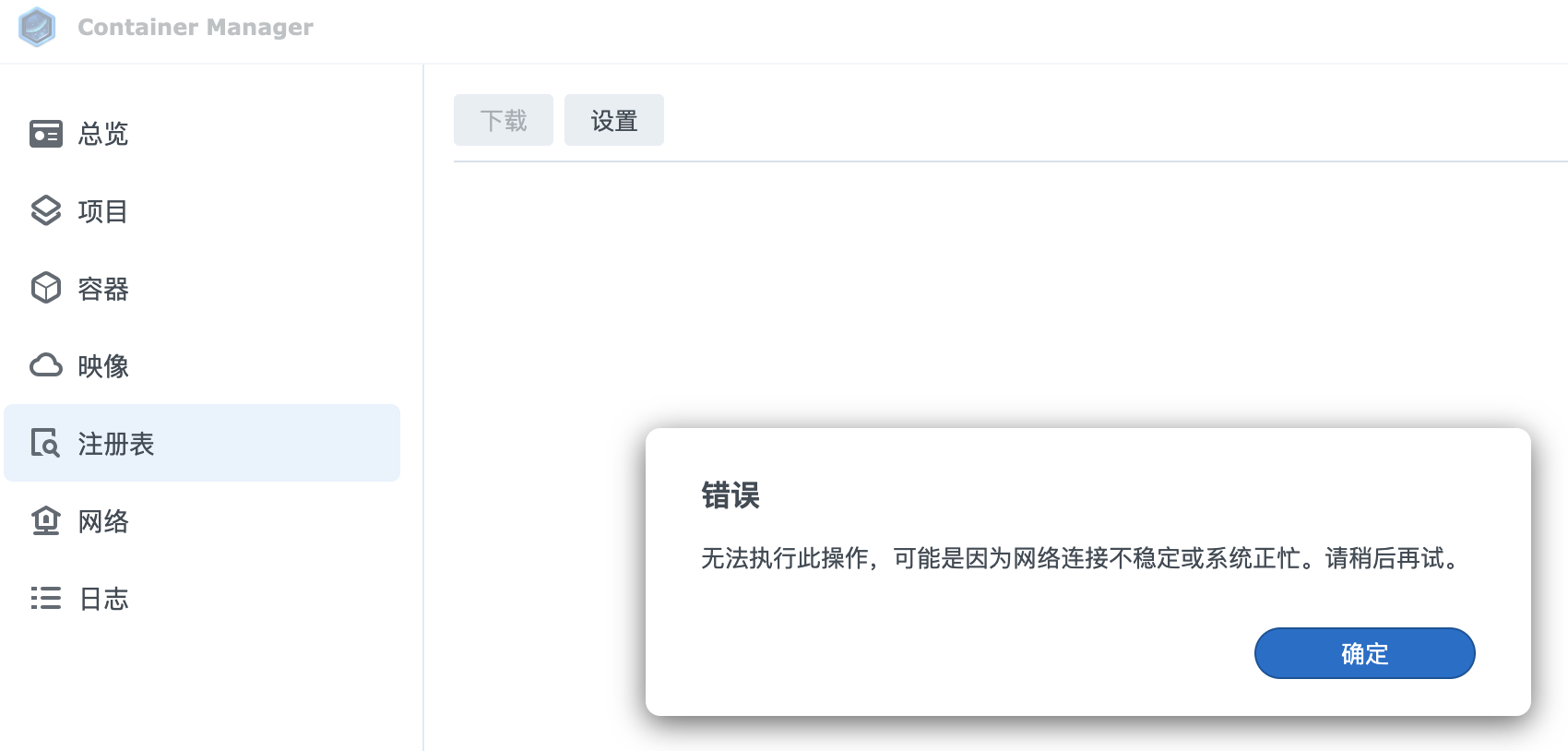
🔻 在注册表中任然无法加载(应该可以通过修改脚本解决)。
🔻 当然也可以使用命令行拉取镜像。在群晖中建议使用第一种方法,一键设置加速地址不适用于群晖。